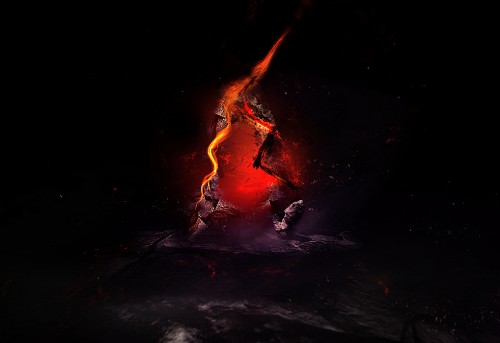
Create a unique stone and fire text effect in photoshop


fire stone text flatten 3 500x343 Create a Unique Stone and Fire Text Effect in Photoshop


Create a new document with black background, size doesn't matter in this tutorial (I used 1280px * 700px). Load the stone texture image into Photoshop, use the rectangular marquee tool to select a portion, copy and paste it onto our document and apply the "Perspective" free transform to add some depth to the image:
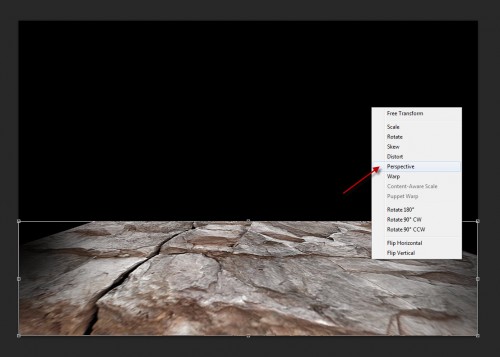
1 persp 500x357 Create a Unique Stone and Fire Text Effect in Photoshop
Use a soft eraser to remove some parts of the texture to add some fruther depth into the ground texture:
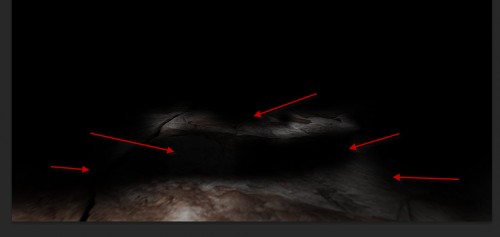
1 depth 500x237 Create a Unique Stone and Fire Text Effect in Photoshop
Add the following 2 adjustment layers on top of the ground layer:
Black and White
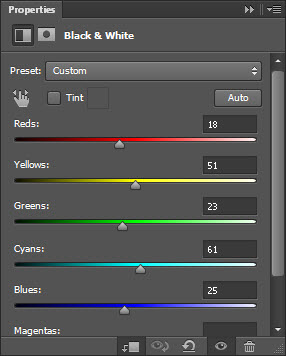
1 bw Create a Unique Stone and Fire Text Effect in Photoshop
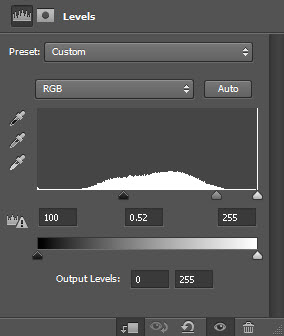
Levels
1 lvs Create a Unique Stone and Fire Text Effect in Photoshop
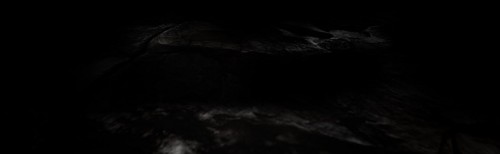
and here is the effect so far:
1 effect1 500x154 Create a Unique Stone and Fire Text Effect in Photoshop

Step 2

We can type a letter onto the document as shown below:

2 type 500x333 Create a Unique Stone and Fire Text Effect in Photoshop
Load the selection of this text layer and move it over to the stone texture:
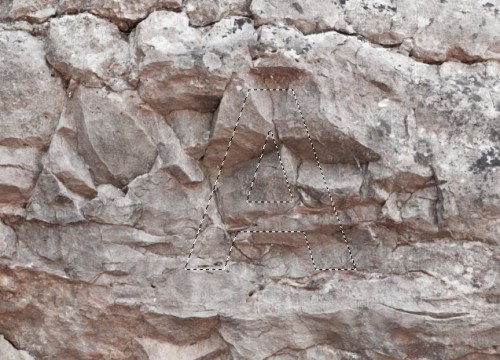
2 sel 500x360 Create a Unique Stone and Fire Text Effect in Photoshop
Copy and paste the selection onto our document, turn our original text layer off:

2 paste 500x349 Create a Unique Stone and Fire Text Effect in Photoshop
Use a soft eraser to remove some parts of this texture layer:
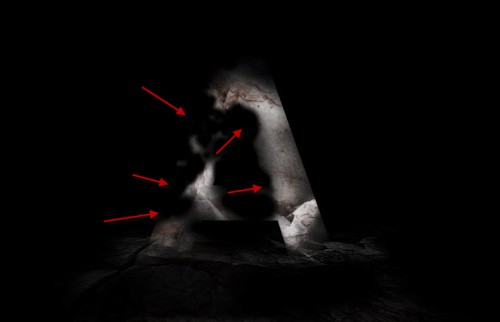
2 erase 500x322 Create a Unique Stone and Fire Text Effect in Photoshop
Add the following 2 adjustment layers as clipping mask to this stone texture layer:
Levels
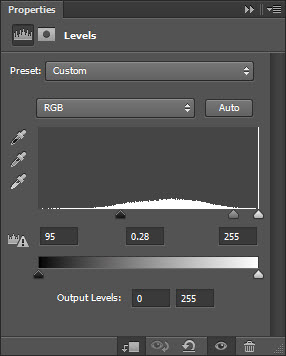
2 lvs Create a Unique Stone and Fire Text Effect in Photoshop
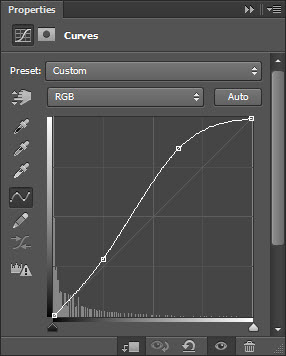
Curves
2 curves1 Create a Unique Stone and Fire Text Effect in Photoshop
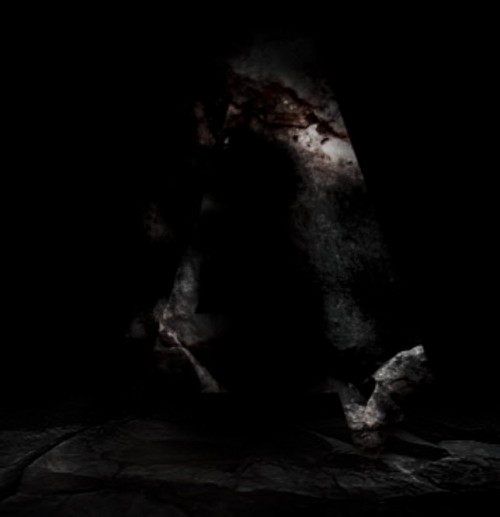
and here is the effect so far:
2 effect1 500x517 Create a Unique Stone and Fire Text Effect in Photoshop

Step 3

We will add some extra stone texture over the text. Use a 20px Lasso Tool to select a piece of the rock as shown below:
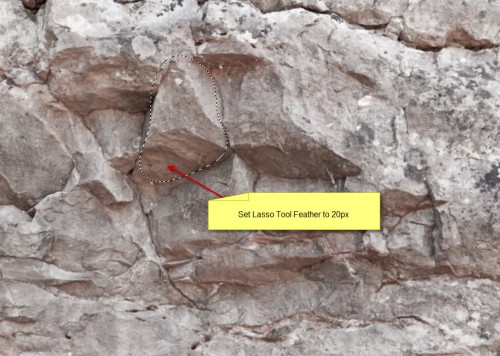
3 sel 500x356 Create a Unique Stone and Fire Text Effect in Photoshop
Copy and paste the selection onto our document, resize and fit it to the text:
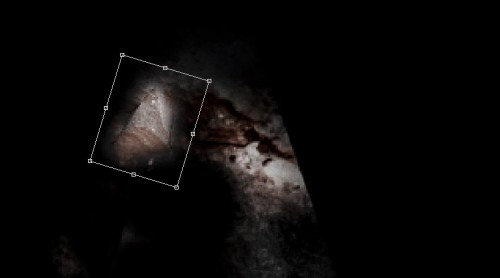
3 paste 500x278 Create a Unique Stone and Fire Text Effect in Photoshop
Hit Ctrl + L and use the Levels adjustment settings as shown below:
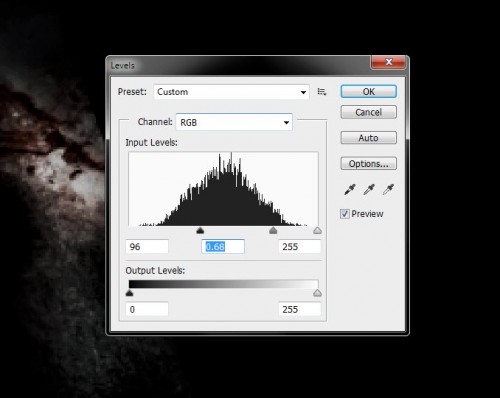
3 lvs 500x398 Create a Unique Stone and Fire Text Effect in Photoshop
and here is the effect you will have for this new rock: (you can see it's blended-in with the rest of the texture)
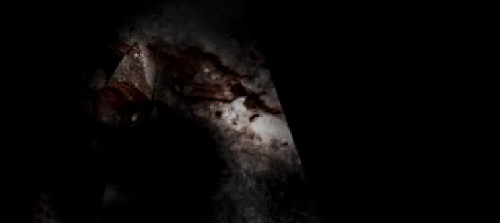
3 effect 500x223 Create a Unique Stone and Fire Text Effect in Photoshop
Duplicate this layer a few times and move them around text as show below:
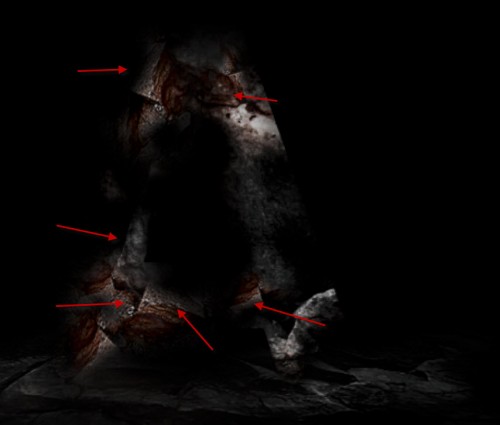
3 dup1 500x425 Create a Unique Stone and Fire Text Effect in Photoshop

Step 4

We can create a new layer and use a black brush to paint some crack lines over the stone texture as shown below:
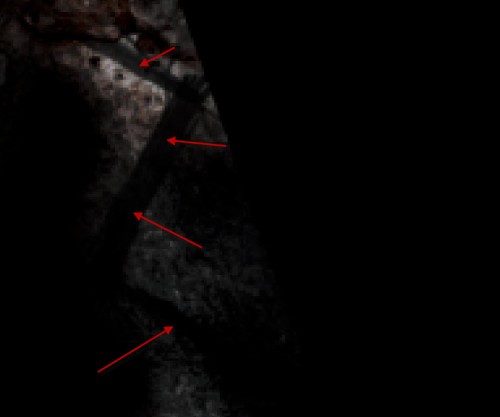
4 paint 500x417 Create a Unique Stone and Fire Text Effect in Photoshop
We will fill these crack with fire texture - go to the fire stock image and use a 20px feather Lasso Tool to select a piece:
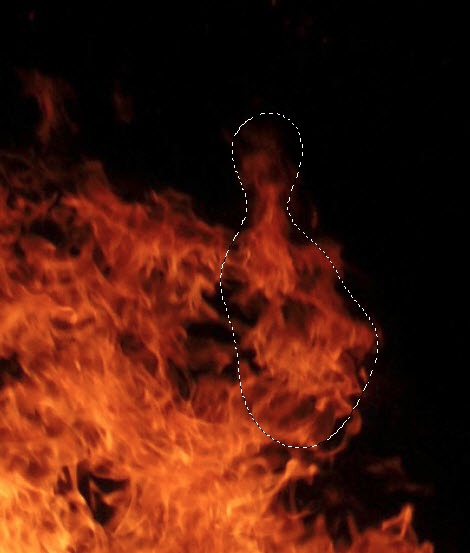
4 sel Create a Unique Stone and Fire Text Effect in Photoshop
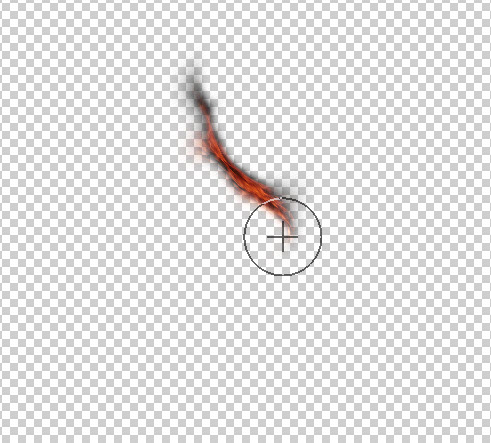
Copy and paste this texture onto our document, use the liquify filter to manipulate this texture as shown below:
4 liq Create a Unique Stone and Fire Text Effect in Photoshop
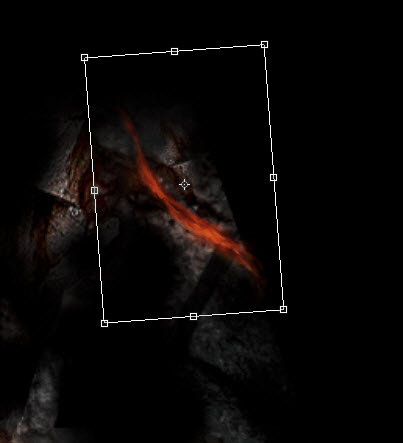
and move this texture over the crack, fit it in as shown below:
4 after liq Create a Unique Stone and Fire Text Effect in Photoshop
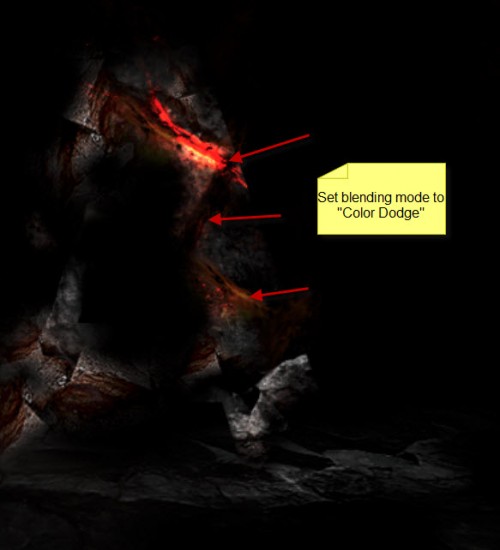
We will set the layer blending mode of the layer to "color dodge", duplicate this layer a few times, and move them to cover all the cracks:
Hint: you can control how much fire is displaying by adjusting the layer opacity.
4 dup 500x550 Create a Unique Stone and Fire Text Effect in Photoshop

Step 5

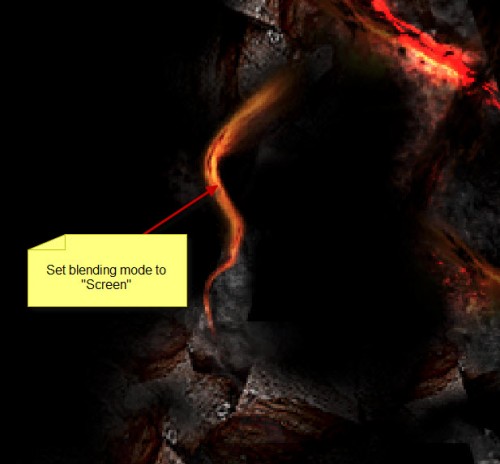
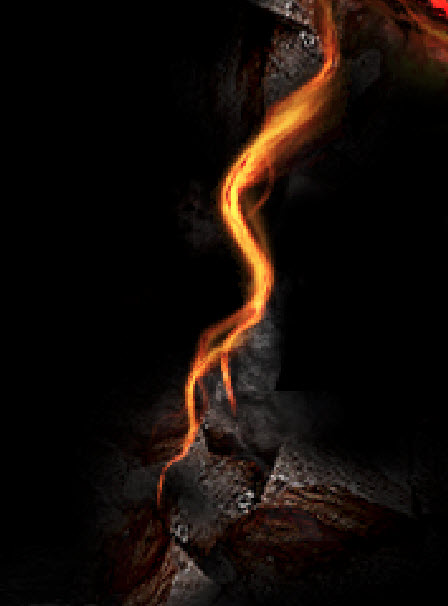
We can add some further fire texture onto the left side of the text using the same liquify technique, but this time we set the layer blending mode to "Screen":
5 screen 500x464 Create a Unique Stone and Fire Text Effect in Photoshop
Duplicate this layer a few times, rotate and resize the layers so they have different angles and sizes, forming an effect as shown below:
5 dup Create a Unique Stone and Fire Text Effect in Photoshop
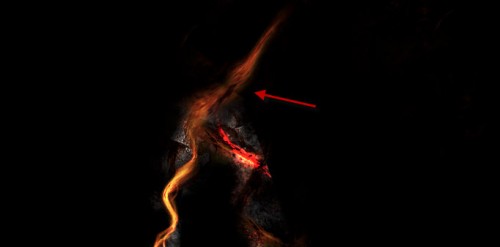
Add some more fire texture on top of the text as well:
5 top 500x247 Create a Unique Stone and Fire Text Effect in Photoshop
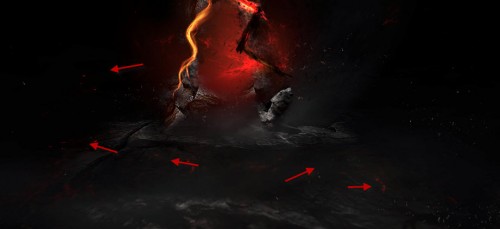
We can add some fire sparks by going back to the fire stock image, copy and paste some more fire texture onto our document, and set the layer blending mode to "color dodge", and you will see those fire texture become sparks:
5 sparks 500x229 Create a Unique Stone and Fire Text Effect in Photoshop
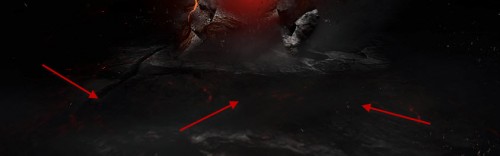
Add some cloud to the ground with the cloud filter or cloud brush to give the image some mystic effect:
5 cloud 500x156 Create a Unique Stone and Fire Text Effect in Photoshop
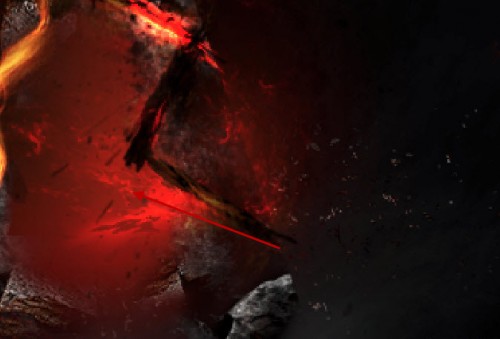
Create a new layer beneath the original text layer, use a soft red brush to paint some back light for the text:
5 backlight 500x339 Create a Unique Stone and Fire Text Effect in Photoshop
I further added some colour onto the image with adjustment layers, and here is my final effect: (click to enlarge)
fire stone text flatten 3 500x343 Create a Unique Stone and Fire Text Effect in Photoshop
That's it for this tutorial! Hope you enjoy it and find it useful! Till next time, have a great day!
Text Effects

Text Effects- it is a great opportunity to realize your creative aspiration, turning a text into an original and unique masterpiece, enriched with unusual forms, colors and shapes. Creation of beautiful and effective text will help you to reflect your mood and to show all nice shades of text meaning or to make clear its hidden idea. Inscriptions made in different styles will be a good decoration and supplement to any design and context, transforming your work into a unified whole, where each word has its own peculiarity. Text Effects will easily become your usual way of expressing your thoughts, emotions and ideas.

2013 Easter Greetings PSD


Easter is one of the biggest Christian holidays. Easter is coming are you Prepared? In these days of Easter we are giving you a beautiful Easter greeting card PSD for free. We think it’s really an add-on for your Easter preparation, you can send it directly through email or you can print it. You can download the Easter greeting card PSD from the below link.2013 Easter Greetings PSD for Free Download cssauthor.com  2013 Easter Greetings PSD

Don't forget to subscribe to our fantastic RSS Feed, join Design You Trust community on Facebook, follow us on Twitter,Pinterest and Tumblr! If you enjoyed our posts we humbly ask you to comment and help us spread the word! 


Easter Eggs, PSD Files-Download Easter Eggs Vector PSD

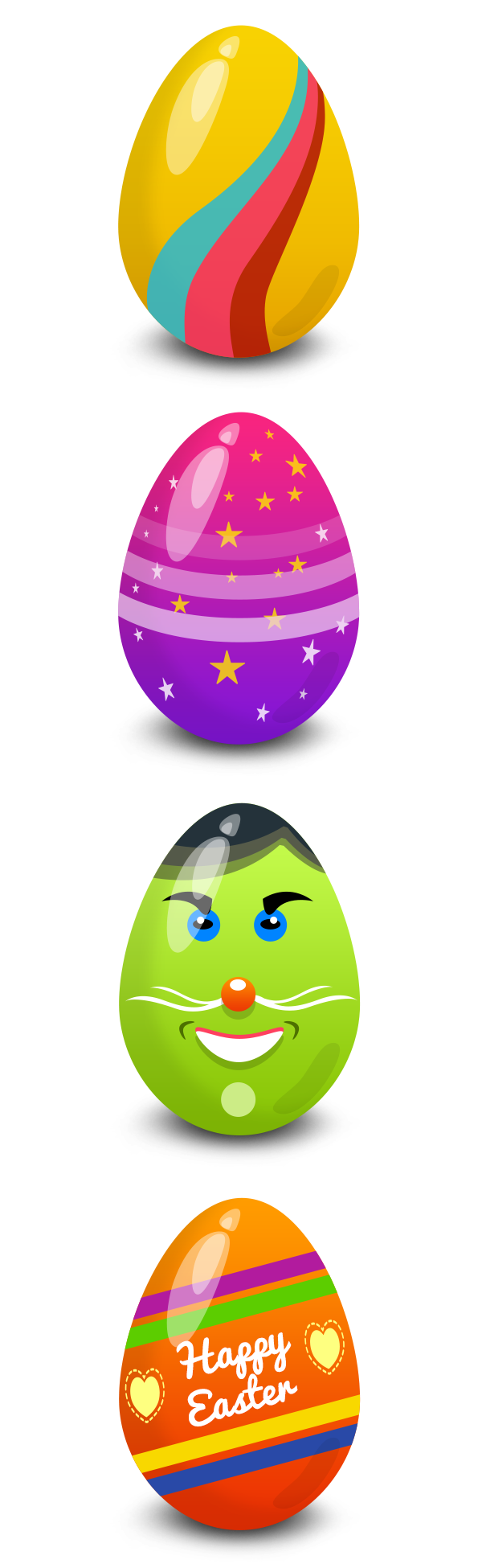
Friends, here’s a set of 4 colorful and amazing Easter eggs in vector PSD format. You can use these egg graphics to create your own post cards, greetings, posters, etc. and greet your friends and have fun this Easter season.  GraphicsFuel wishes you a happy Easter this weekend!

Preview of the Eggs

Keyword Tags: Easter Eggs, PSD Files
Size: 581KB (zip)
License: Royalty-free, Free for personal and commercial use

Download Easter Eggs Vector PSD

20+ Best Easter Church And Party Flyer Templates of 2013


20+ Best Easter Church And Party Flyer Templates of 2013

Hey.I am back with another festival post series.In my last festival post,i have show you 25+ Best New Year & Christmas Flyer Templates of 2013.To continue my festival series,Iam come with really amazing  post i.e Best Easter Church And Party Flyer Templates of 2013.These Premium flyer templates are very essential to celebrate the resurrection of Jesus Christ.
Flyer design templates are cheapest options for promoting parties among your friends or other media.Premium PSD templates are not costly if you think of buying for every party so that you can get a unique design for your party.These flyer templates are some of most creative party flyer we found on internet.
Please note that all our Easter Church and Party Flyer templates are fully compatible with latest version of Adobe Photoshop.You Can easily edit all the flyer templates according to your requirement.

BEST PREMIUM PARTY FLYER TEMPLATES

1).Easter Bunny Flyer Vol.1

Easter Bunny Flyer Vol_1
Features:
  • Fully Customizable
  • The Purchase includes 4×6” and 1275×1875px with Bleeds.25”
  • Print ready Photoshop files,300dpi,CYMK
  • Well organized and guide lines

2).Easter Party Flyer

Easter Party Flyer
Features:
  • 4×6 INCH , 300 DPI , RGB Quick and Easy to edit
  • Editable text layers ,Fully Layered ,Editable colors
  • Included help file.

3).Easter Party Club Flyer Template

Easter Party club Flyer Template
Features:
  • The file is 8.3×5.8 inches + 0.12 in bleeds.
  • A5, CMYK with 300DPI.
  • File Well Organized

4).Easter Bunny Party Flyer

Easter Bunny Party Flyer Vol_2
Features:
  • Well organized and guide lines
  • Print ready Photoshop files,300dpi,CYMK
  • The Purchase includes 4×6” and 1275×1875px with Bleeds.25”
  • Fully Customizable

5).Easter Nature Party Flyer

Easter Nature Party Flyer
Features:
  • This Purchase includes PSD , CMYK, A4 & 4*6 inch + bleed
  • It has 3 color sliders for color change so you can choose which one you like
  • All elements included. Print ready. Two sizes
  • You can use Easter party but also suitable for any other Easter event.

6).Easter Flyer Template

Easter Flyer Template
Features:
  • 2 Print Ready Photoshop File (Flyer) / CMYK / 300dpi
  • 1275px x 1875px (4×6” with .25” bleeds)
  • Highly Organised Layers

7).Easter Flyer

easter flyer templates
Features:
  • Easter Club Flyer 4×6 with bleed 3D text included but not editable.
  • Adjustment layers for easy color change.
  • Grass and eggs are render together to keep the Easter theme

8).Easter Flyer Template

easter flyer template
Features:
  • 4×6 Inch (4,25×6,25 with Bleeds)
  • 300 DPI CMYK
  • Easy Photo replacement
  • Customizable Text

9).Easter Party And Spring Party Flyers

Easter Party And Spring Party Flyers
Features
  • The PSD file is set up at 1275×1875 pixels (4×6” with .25” bleeds), CMYK , 300 DPI .
  • PSD file is well-organized
  • With color coded groups
  • Layers named appropriately.

10).Easter Theme Party Flyer

Easter Theme Party Flyer
Features:
  • This Purchase includes Psd file all layered 300dpi.
  • Print Ready and CMYK.
  • Flyer 4.25×7.25 inches + bleeds.

11).Easter Party Flyer Template

Easter Party Flyer Template
Features:
  • Size :8.5”x11” – 2625×3375px
  • Resoultion: High Quality 300DPI
  • CMYK color
  • Available in 6 different colors
  • Print ready Includes Bleeds

12).Deluxe Easter Flyer

Deluxe Easter Flyer
Features:
  • You can easily change Texts, Colors, Add/Remove objects to this layered PSD
  • It is a High quality flyer design, ideal for Deluxe/top class clubs
  • This Purchase includes : 4X6 Print ready PSD file ,CMYK ,300dpi and 1 Help File.
  • It also has nice Golden/silver eggs 3D render, that comes in 5 colors

13).Easter Glam Party Flyer

Easter Glam Party Flyer
Features:
  • This Purchase includes Bleed ,300 dpi ,6×8 print ready PSD file.
  • Easy to modify, change elements of design, dimensions, all text editable
  • You can easily hide or show layers to obtain new design!.
  • Elegant and unique Easter party flyer. Suitable for Clubs, Bars

14).Easter World Party Flyer

Easter world Party Flyer
Features:
  • This Purchase includes 6×4Inch. High Quality 300dpi,0,25 inch Bleed (0,125 on each side)
  • Organised Groups
  • Color Variation (Layers styles).

15).Easter Bash Party Flyer Vol.3

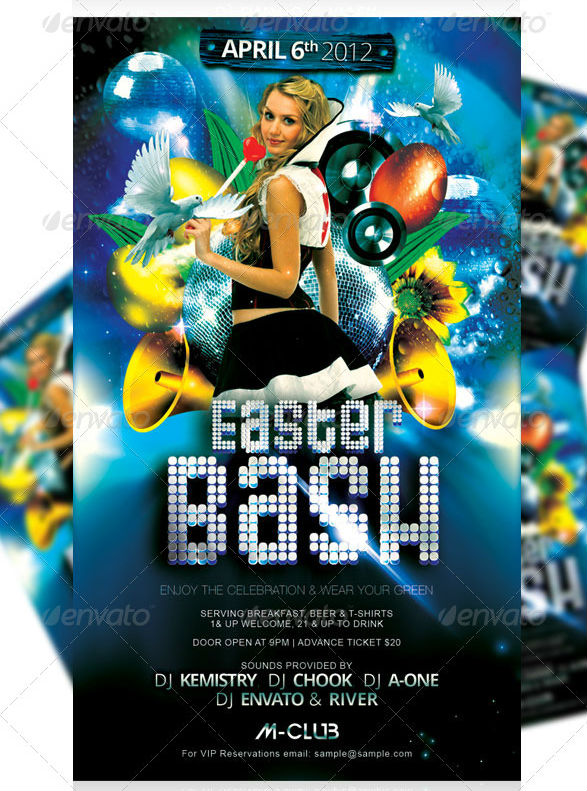
Easter Bash Party Flyer Vol_3
Features:
  • This Purchases includes 4×7”,1275X2175px and Bleeds.25”.
  • Print ready,CMYK,300dpi
  • Well Organised
  • Fully layered
  • Guide Lines

16).Easter Egg Party Flyer

Easter Egg Party Flyer
Features:
  • 21,5×30,19 cm (including – 5 mm Bleed) (equivalent of 8,5×11,9 in)
  • 2 color options
  • Well Organized and Named Layers
  • CMYK,300dpi

17).Easter Egg Hunt Flyer

Easter egg hunt flyer
Features:
  • ISO A4 (21×29,7 cm = 8,27×11,69 inch)
  • 21,5×30,19 cm (including – 5 mm Bleed)
  • 6 Prepared color options
  • CMYK,300dpi
  • Well organised layers

18).Easter Sunday Poster/Flyer Template

Easter Sunday PosterFlyer Template
Features:
  • A3 (297mm x 420mm [with 3mm bleed])
  • 300dpi,CMYK,
  • Well Organize
  • Bleed,fully layered
  • Guide lines

19).Easter Party Flyer

easter party flyer template2
Features:
  • Sizes available: 4”×7” // 8.5”×11” (+0.25” bleeds)
  • The PSD files are fully layered and print-ready (300dpi, CMYK )

BEST PREMIUM CHURCH FLYER TEMPLATES

20).Church Service Event Flyer Template

Church Service Event Flyer Template
Features:
  • This purchase includes 300dpi/CMYK and clearly layered into based on design layout.
  • Simply to use color backgrounds
  • All layeres are fully organised and label with names

21).Risen Church Event Template

Risen Church Event Flyer and CD Template
Features:
  • This Risen Church Event Flyer and CD Template is great for any Contemporary Church Event
  • Easy editing and color coded
  • Print ready,300dpi,CMYK
  • Organised layer

What Next ???

I would recommend you to use this theme for your Easter club party as it comes with many feature which I discussed above .I have already cleared all the features of good easter party flyer above.So what are you waiting for?? Go and buy this awesome flyers for your upcoming easter party.